2026 Best MIPI TFT Display for Global Buyers?
For global buyers, choosing the best Mipi Tft Display in 2026 means matching the panel to the product, not chasing a headline specification. A bright sample on a showroom table can look impressive. It may still fail inside a sealed handheld unit under direct sunlight or during cold startup. MIPI describes an interface family, not a guarantee of image quality, long-term supply, or plug-and-play compatibility. That distinction matters.
A useful selection begins with the host processor, lane configuration, resolution, refresh needs, and available driver support. Then compare measured brightness, contrast, viewing angles, touch stack, power draw, and operating-temperature range. Ask suppliers for datasheets, interface timing, lifecycle expectations, and samples tested on your actual board. One overlooked detail can mean another PCB spin. UX designer and author Golden Krishna’s book title, “The Best Interface Is No Interface,” offers a useful reminder: users notice a display most when it distracts them. Buyers should also check whether the connector, backlight, and mechanical outline fit production tooling. Price matters, but so do stable sourcing, responsive engineering support, and clear change notices. A low quote may hide integration work. It happens.
This guide compares practical criteria for evaluating Mipi Tft Display options across applications and supplier offers. It does not treat one panel as universally best. Instead, it helps teams shortlist candidates, verify claims, and identify trade-offs before committing to volume. Some details remain messy. Real boards, real temperatures, and real schedules expose assumptions that brochures cannot.
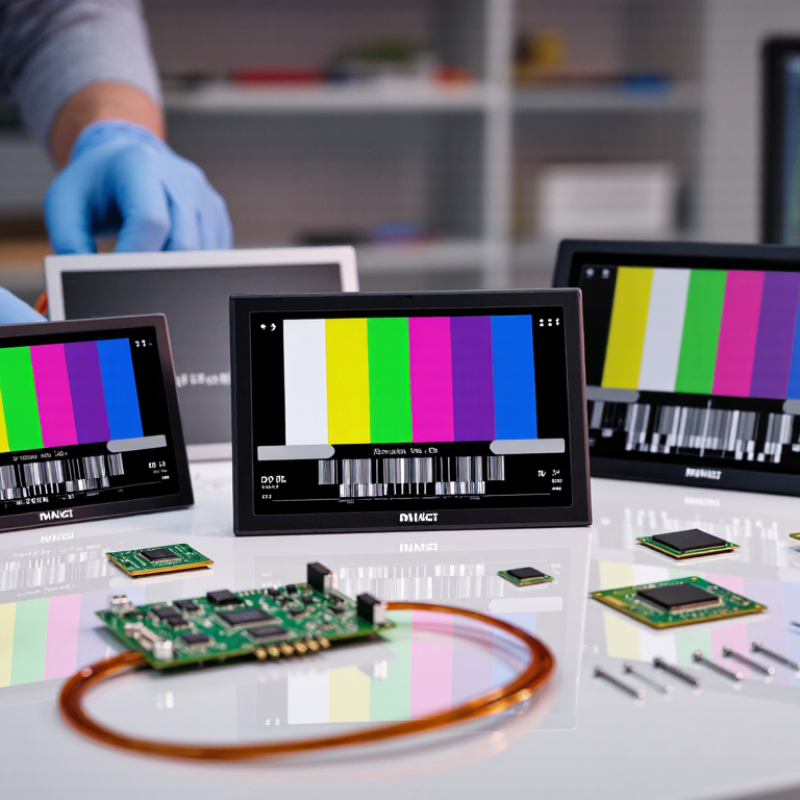
Define MIPI DSI TFT Modules: D-PHY 3.0 Supports 9 Gbit/s per Lane
For global buyers, a MIPI DSI TFT module is more than a screen with a fast interface. DSI carries display data and control signals between a host processor and the panel. Its physical layer, MIPI D-PHY 3.0, supports data rates up to 9 Gbit/s per lane. That is a peak lane rate, not guaranteed image bandwidth.
Usable throughput depends on lane count, timing overhead, and the display mode. A four-lane link may offer substantial capacity, but resolution, refresh rate, and color depth still need a careful bandwidth check. Check the host’s supported D-PHY version and lane rate, too. A panel cannot exceed the capabilities of its host. Small details matter. Connector pinout, signal routing, and initialization commands can prevent an otherwise suitable module from working reliably.
In practice, request the module’s timing specifications and verify them against your processor before finalizing a design. Test the actual cable and board layout; high-speed signals can be sensitive to routing quality. Also confirm brightness, viewing angle, and operating temperature under real conditions. A fast interface does not guarantee a clear image outdoors. One point is easy to overlook: “up to 9 Gbit/s” describes the interface ceiling, not the performance every system will achieve. Even a good datasheet leaves some questions for testing.
Compare IPS TFT Viewing Angles: Many Datasheets Specify 178°
A 178° viewing-angle figure can make an IPS TFT display look easy to compare. It usually describes the angle at which the image remains visible under a stated measurement criterion. But the number alone does not tell you how natural the image looks from the side. Color, contrast, and brightness may shift before the picture becomes unreadable.
Check how the datasheet defines the angle. Some specify horizontal and vertical values separately, while others present one combined figure. The contrast threshold and test conditions matter, too. A screen mounted vertically in a kiosk may behave differently from one viewed across a handheld device. Small differences become obvious when several people gather around a display.
For a MIPI TFT selection, compare viewing-angle data with the actual installation and viewing distance. Ask for angle-dependent color or contrast measurements when the display will be read off-center. A sample test helps: show a gray image, a skin-tone photo, and small text, then inspect them from both sides and above. It takes minutes. I would not treat 178° as a promise of identical colors across the whole range; datasheets can leave that impression, and I have to remind myself to check the test details.
Size Resolution to Link Budget: 4 D-PHY 3.0 Lanes Reach 36 Gbit/s Raw
2026 Best MIPI TFT Display for Global Buyers?
MIPI Alliance’s D-PHY v3.0 specification supports up to 9 Gbit/s per lane. Four lanes therefore provide 36 Gbit/s of raw link capacity. Raw is the key word. That figure is not the usable image payload; packet overhead, blanking intervals, and implementation limits consume part of the budget. For a quick check, uncompressed 3840 × 2160 video at 120 Hz and 24 bits per pixel needs about 23.9 Gbit/s for active pixels alone. The calculation excludes timing overhead. Leave margin.
Resolution and refresh rate should guide panel selection, but they do not settle the link budget. Check the display mode, color depth, lane count, and host controller together. MIPI DSI-2 and D-PHY documentation can help teams verify interface requirements against the intended configuration. Compression may reduce the required bandwidth, but it adds its own compatibility and image-quality checks. A tidy spreadsheet can still miss the real constraint: routing and signal integrity on the finished board. One assumption worth challenging is that four lanes automatically mean 36 Gbit/s in every design. They do not. Measure the actual system, and keep the margin visible.
2026 MIPI D-PHY 3.0 Link Budget: Raw Bandwidth by Lane Count
At a nominal maximum of 9 Gbit/s per lane, four lanes provide up to 36 Gbit/s of aggregate raw link rate. This is a theoretical signaling rate, not usable image payload: packet overhead, display timing and implementation limits reduce available bandwidth. Supported resolution also depends on refresh rate, pixel format and blanking intervals.
Verify Global Compliance: RoHS 2011/65/EU and IEC 62368-1
A MIPI TFT display may look ready for a global project, but interface compatibility is only part of the review. Buyers should verify material and product-safety documentation before approving samples. RoHS 2011/65/EU restricts certain hazardous substances in electrical and electronic equipment. Ask for a current declaration covering the display assembly, not just a generic component statement.
Paperwork matters. Check the revision. Compare the declaration with the bill of materials and supplier records, especially for the panel, flexible cable, connector, and backlight parts. RoHS exemptions can apply to specific uses, so confirm whether any are claimed and whether they fit the intended product. A certificate alone may not answer that question. Supplier files can also lag behind a design change; this is an easy detail to overlook.
IEC 62368-1 addresses safety for audio/video and information technology equipment, but a display module’s report does not automatically establish compliance for the finished device. Confirm the applicable edition and market requirements with the product’s safety team or qualified test laboratory. Ask what tests covered the module, its operating voltage, insulation, and foreseeable installation conditions. Small gaps matter. Keep traceable evidence tied to the exact part number and revision being purchased. If a supplier cannot connect its documents to that revision, pause before scaling the order.
Rank 2026 Suppliers by Operating Range, Lifetime, and DSI Compatibility
For the 2026 best MIPI TFT display, rank suppliers by verified performance, not headline specifications. A stated operating range matters only when the display remains readable and stable across it. Ask for test conditions, including voltage, humidity, and operating duration. A module rated from -20°C to 70°C may suit outdoor equipment, but only if its backlight and touch layer are also qualified.
Lifetime claims need context. Request the expected hours, brightness level, and temperature behind each figure. Check whether the supplier provides aging data or sample-test results. A five-year estimate without conditions is hard to compare. Small detail, big difference. Also confirm whether replacement panels will remain available for your product’s planned service life.
For DSI compatibility, compare lane count, data rate, resolution, refresh rate, and supported pixel formats with the host processor. Request pin definitions, timing information, and initialization sequences before committing to a design. Then test a physical sample on your own board. A clean datasheet cannot reveal every startup glitch. I would not treat any ranking as perfect: documentation quality and production consistency can vary, even between batches. Give the strongest position to suppliers that answer technical questions clearly and support repeatable validation.
2026 Best MIPI TFT Display for Global Buyers? - Rank 2026 Suppliers by Operating Range, Lifetime, and DSI Compatibility
Supplier-neutral screening guide. The rows rank product capability profiles, not named suppliers or audited companies. Temperature and backlight-life figures are indicative specification bands found in the market; confirm the exact rating, test conditions, and warranty for each module SKU.
| Rank | Supplier capability profile | Indicative operating-temperature band | Backlight lifetime specification | MIPI DSI compatibility | What buyers should verify |
| 1 | Extended-temperature industrial profile | Some modules are specified around −30°C to +80°C; the rating is SKU-specific. | Some products specify 30,000–50,000 hours. Check whether the figure is L70 and the stated test conditions. | Potentially suitable when the module’s DSI lane count, PHY, timing, and operating mode match the host. | Request separate storage and operating limits, brightness derating data, lifetime definition, and a verified host-board test. |
| 2 | Industrial-temperature profile | A commonly encountered target is approximately −20°C to +70°C; confirm the individual product rating. | Some products specify 30,000–50,000 hours; verify L70/L50 criteria, current, and ambient temperature. | Compatibility depends on the module’s interface implementation and the host controller, not on the connector alone. | Obtain the datasheet, initialization sequence, timing limits, and confirmation of supported command or video mode. |
| 3 | Commercial-temperature profile | Many modules are designed for a narrower range, often around 0°C to +50°C; check the specified limits. | Lifetime varies by backlight design and drive conditions; compare only figures with the same measurement definition. | Can work with a compatible MIPI DSI host, but resolution, lane configuration, and timing must be matched. | Confirm the actual use environment, peak brightness, connector pinout, and availability of a complete integration guide. |
| 4 | Cost-focused or limited-documentation profile | No reliable band can be assumed without a product datasheet and written operating-temperature rating. | Treat lifetime as unverified unless the supplier defines the rating and provides supporting test conditions. | “MIPI DSI” alone does not establish interoperability; electrical and software details must be confirmed. | Request a sample, full datasheet, pinout, initialization code, change-control policy, and written answers to all interface questions. |
DSI integration checklist: verify D-PHY or C-PHY implementation where applicable, lane count, supported data rates, resolution and refresh timing, command/video mode, pixel format, signal levels, connector pinout, and initialization sequence. Operating temperature and backlight life are product-specific ratings and should not be inferred from the interface type.